Introducing Openlayer Governance
Published November 24, 2025
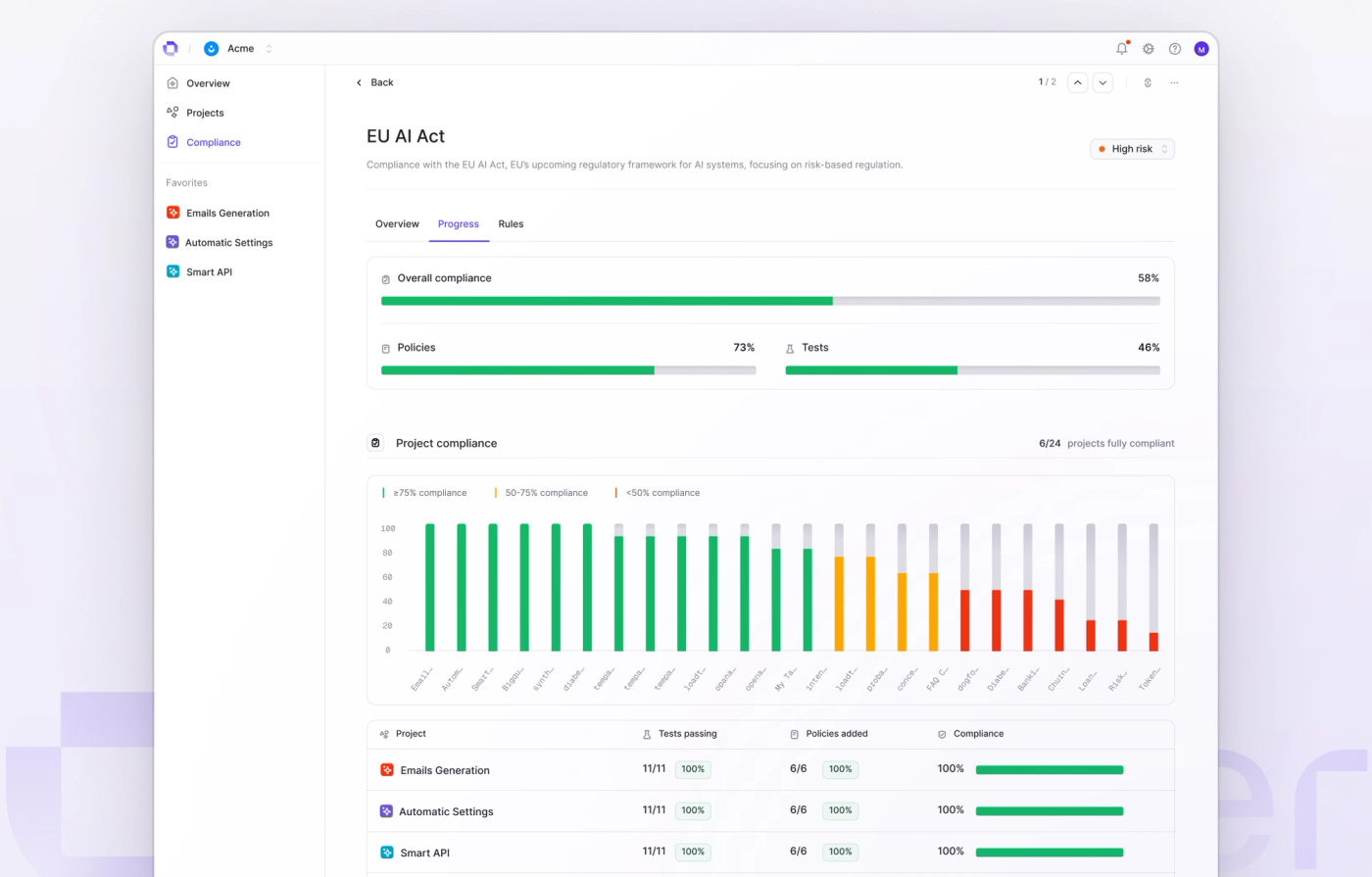
Introducing Openlayer Governance: the fastest way to track and enforce rules for your AI systems. With custom frameworks, you can define rules like:
- Test every system for PII leakage + prompt injection
- Require monitoring, tracing, logs, and production alerts
- Enforce owner, risk level, and approval status
Rules are tracked across projects and workspaces so you can easily see progress and spot gaps. Collaboration is made easy through assigning rule owners, comment threads, and uploading evidence that can be accessed by the whole team.
Governance is now available to everyone on Openlayer, so you can increase trust in your AI systems today.
Features
- PlatformIntroducing Governance mode, a new way to define and enforce policies and procedures across projects in your workspace
- PlatformBrand-new workspace overview and project inventory, which gives users a birds-eye view of project activity and enables better categorization and labeling
- PlatformSupport for more 3rd-party data backends in Monitoring mode, including Databricks, Redshift, and Postgres
- PlatformEnable running an A/B test across two commits in Development mode or data sources in Monitoring mode to compare performance across different metrics
- UI/UXSupport for configuring directory sync in workspaces with SAML/SSO enabled via the UI
- PlatformCustom onboarding for users purchasing Openlayer through the AWS Marketplace
- APIEnable deleting custom metrics via the API
- SDKsSupport for tracing OpenAI systems in Python that use the .parse() method or Responses API
- SDKsSupport for tracing systems built with Google ADK in Python
- SDKsAllow users to configure traces in Python by defining settings like timeouts and retries
- CLIUsers can now create data sources directly from the CLI
- CLIUsers can now delete custom metrics directly from the CLI
Improvements
- DocsSeveral improvements to the Openlayer Docs, including a brand new test catalogue, more integration guides for LLM frameworks like Google ADK and 3rd-party data backends like Snowflake
- APISeveral improvements to the Openlayer API, including removing the need to specify an API version for requests to certain endpoints
- CLISeveral improvements to the Openlayer CLI, including easier project selection and support for profile management
- PlatformBetter experience using 3rd-party data backends like Snowflake and Databricks, including quicker ways to connect multiple tables, inferring schemas, and support for remote execution of tests to scale better to large data volumes
- UI/UXEnhanced navigation header for more rapid and seamless movement between projects and modes
- UI/UXSeveral enhancements made to tables throughout the app [
- On-PremShipped various tooling and improvements for users deploying Openlayer on-premise, including the ability to leverage internal LLM gateways
- UI/UXSwitching between login and signup forms no longer resets inputs
- UI/UXEnable filtering columns in the Data page by clicking on the column header
- UI/UXNew flow for accepting tests generated by the Assistant, allowing users to select a subset of suggested tests, refine them, or retry requests
- UI/UXMore tooltips everywhere throughout the app!
- UI/UXNew-and-improved in-app support experience, which allows users to send feedback and reach out for help to standard channels
Fixes
- PlatformSquashed several bugs preventing tests from executing correctly
- UI/UXResults graph inside a monitoring test would sometimes prevent users from navigating back in time to historical results
- UI/UXResults page would sometimes show test results from other data sources in Monitoring mode or commits in Development mode than the currently selected
- UI/UXAuthors would not render in certain notifications
- UI/UXNavigating to app settings would trigger toasts containing error messages unexpectedly
- UI/UXIssue preventing some users from deleting their accounts