

1
Open Governance mode
Navigate to any project in scope and click Governance mode from the project overview.You’ll see all frameworks currently applied to this project, along with overall completion metrics broken down by platform rules and evidence-based rules.
2
View the checklist
Click a framework to see its full rule list: which rules are completed, which still need action, and who is responsible for each.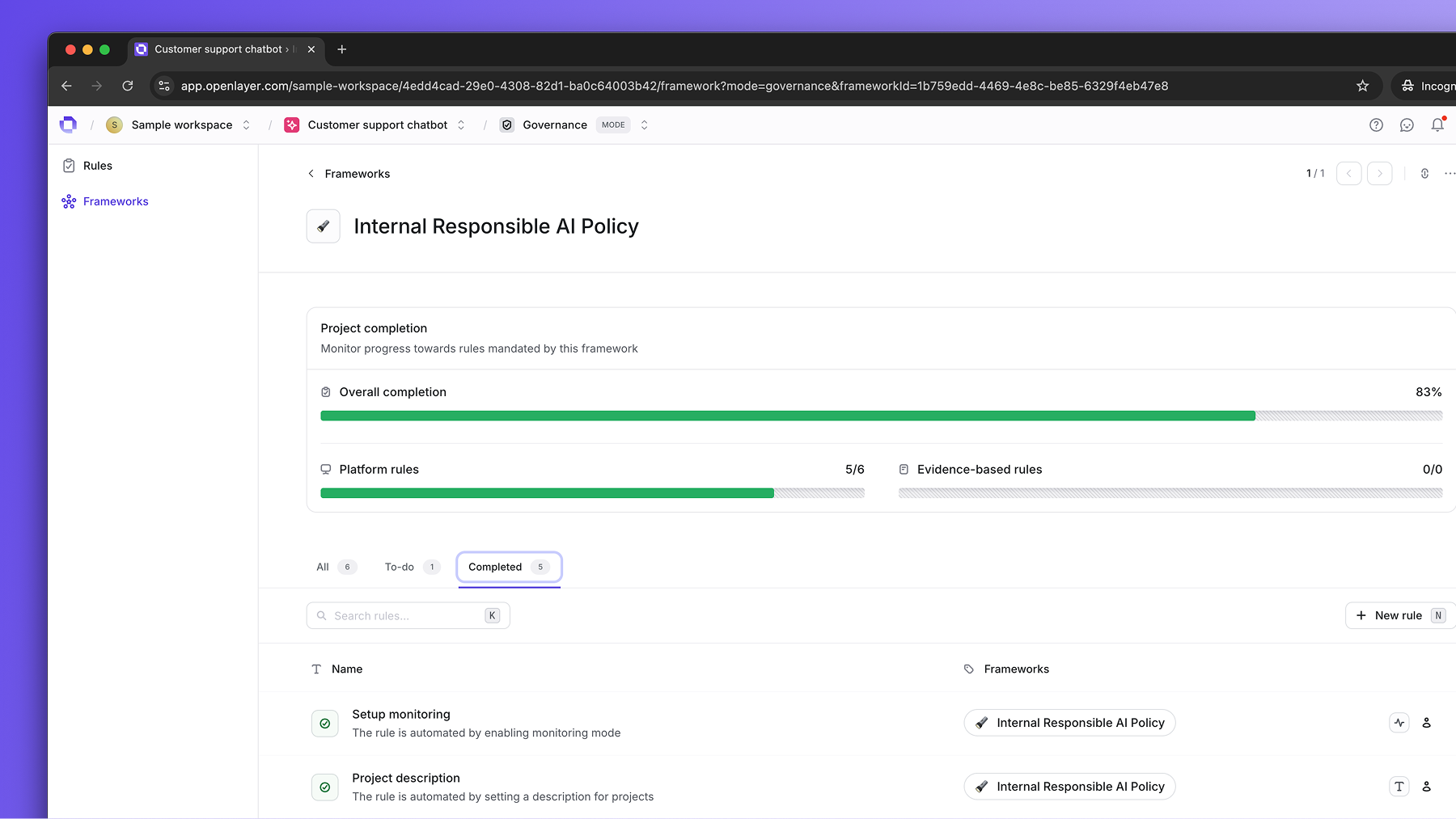
3
Complete platform rules
Platform rules are satisfied automatically as your team uses Openlayer — no manual action required. When monitoring mode captures traces or development mode runs tests, the corresponding rules update in real time.See Platform rules for the full list of rules and what triggers each one.
4
Complete evidence-based rules
Click any evidence-based rule to upload a document or provide a link.Some rules are workspace-level and only need to be completed once — completing them here satisfies the rule for all projects. See Evidence-based rules for details on scope and renewal.
5
Export a project report
On the project’s framework page, open the framework options menu (⋯) and select Export report. The item sits after Edit details and appears only if you have the Export framework evidence permission.This export is scoped to the current project. Workspace-level controls are listed separately in the report. The banner shows the framework name and the project name.Select Export to start the job, or Cancel to close the modal. The archive contains uploaded evidence files, a markdown report of progress and control status, and CSV manifests with SHA-256 checksums. A toast tracks progress until the zip downloads automatically. There is no separate in-app notification.For a package across every project in the framework, export from the workspace framework page instead.