- If you are building an AI system with Bedrock LLMs or agents and want to evaluate it, you can use the SDKs to make Openlayer part of your workflow.
- Some tests on Openlayer are based on a score produced by an LLM judge. You can set any of Bedrock’s LLMs as the LLM judge for these tests.
Evaluating Bedrock LLMs and agents
You can set up Openlayer tests to evaluate your Bedrock LLMs and agents in monitoring and development.Monitoring
To use the monitoring mode, you must instrument your code to publish the requests your AI system receives to the Openlayer platform. To set it up, you must follow the steps in the code snippet below:See full Python example
See full TypeScript example
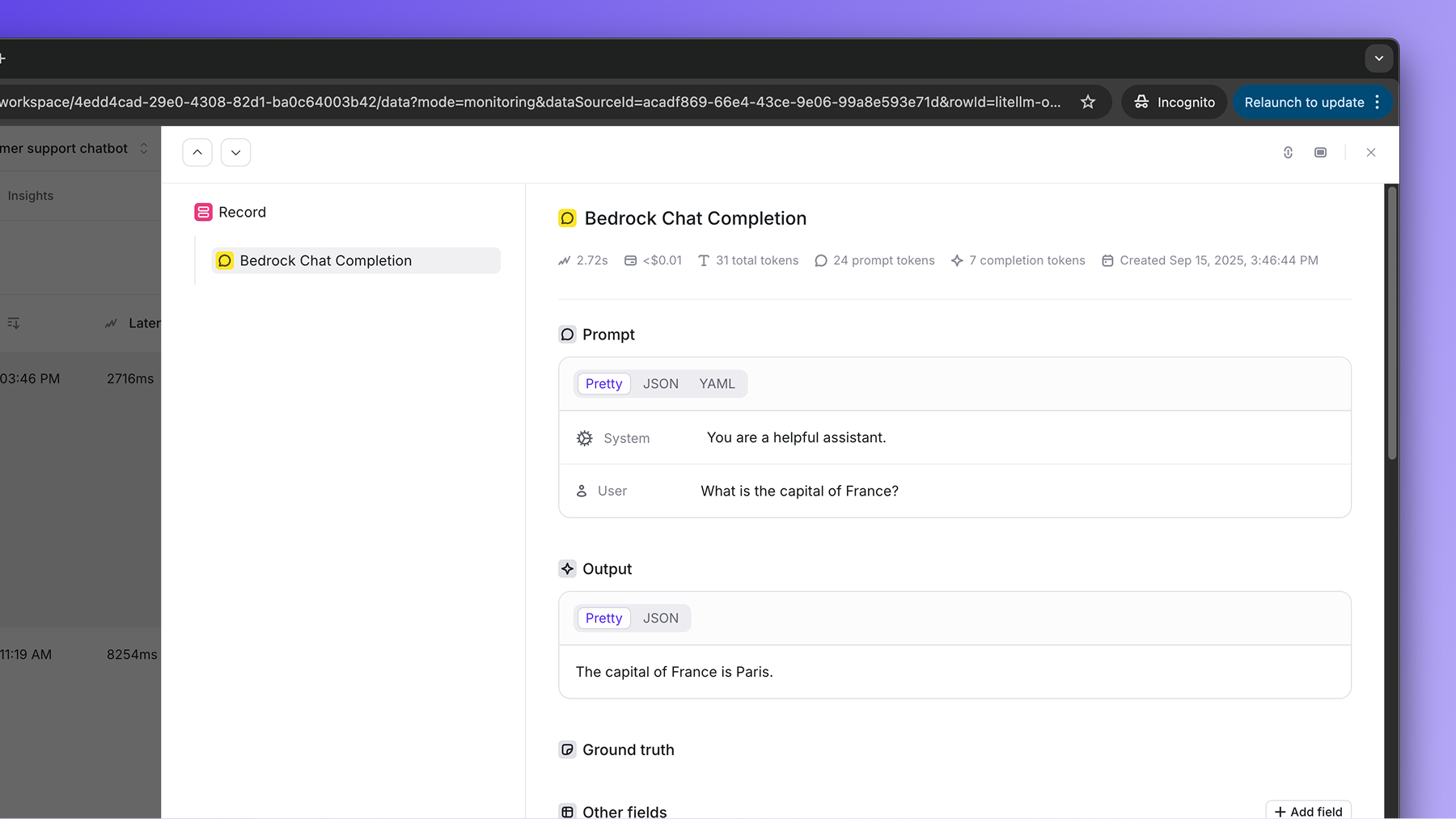
If the Bedrock LLM call is just one of the steps of your AI system, you can
use the code snippets above together with tracing. In
this case, your Bedrock LLM calls get added as a step of a larger trace.
Embeddings
The samebedrock_client also traces embedding invocations. When the modelId
refers to an embedding model, the call is recorded as a dedicated embedding step
named “AWS Bedrock Embedding” instead of an LLM step, with the model, input,
latency, and the dimensions and number of vectors returned. Amazon Titan
(amazon.titan-embed-*) and Cohere (cohere.embed-*) embedding models are
supported:
Development
In development mode, Openlayer becomes a step in your CI/CD pipeline, and your tests get automatically evaluated after being triggered by some events. Openlayer tests often rely on your AI system’s outputs on a validation dataset. As discussed in the Configuring output generation guide, you have two options:- either provide a way for Openlayer to run your AI system on your datasets, or
- before pushing, generate the model outputs yourself and push them alongside your artifacts.
AWS_ACCESS_KEY_ID
and AWS_SECRET_ACCESS_KEY variables.
If you don’t add the required Bedrock API credentials, you’ll encounter a “Missing API credentials”
error when Openlayer tries to run your AI system to get its outputs.
Using Bedrock LLMs as the LLM judge
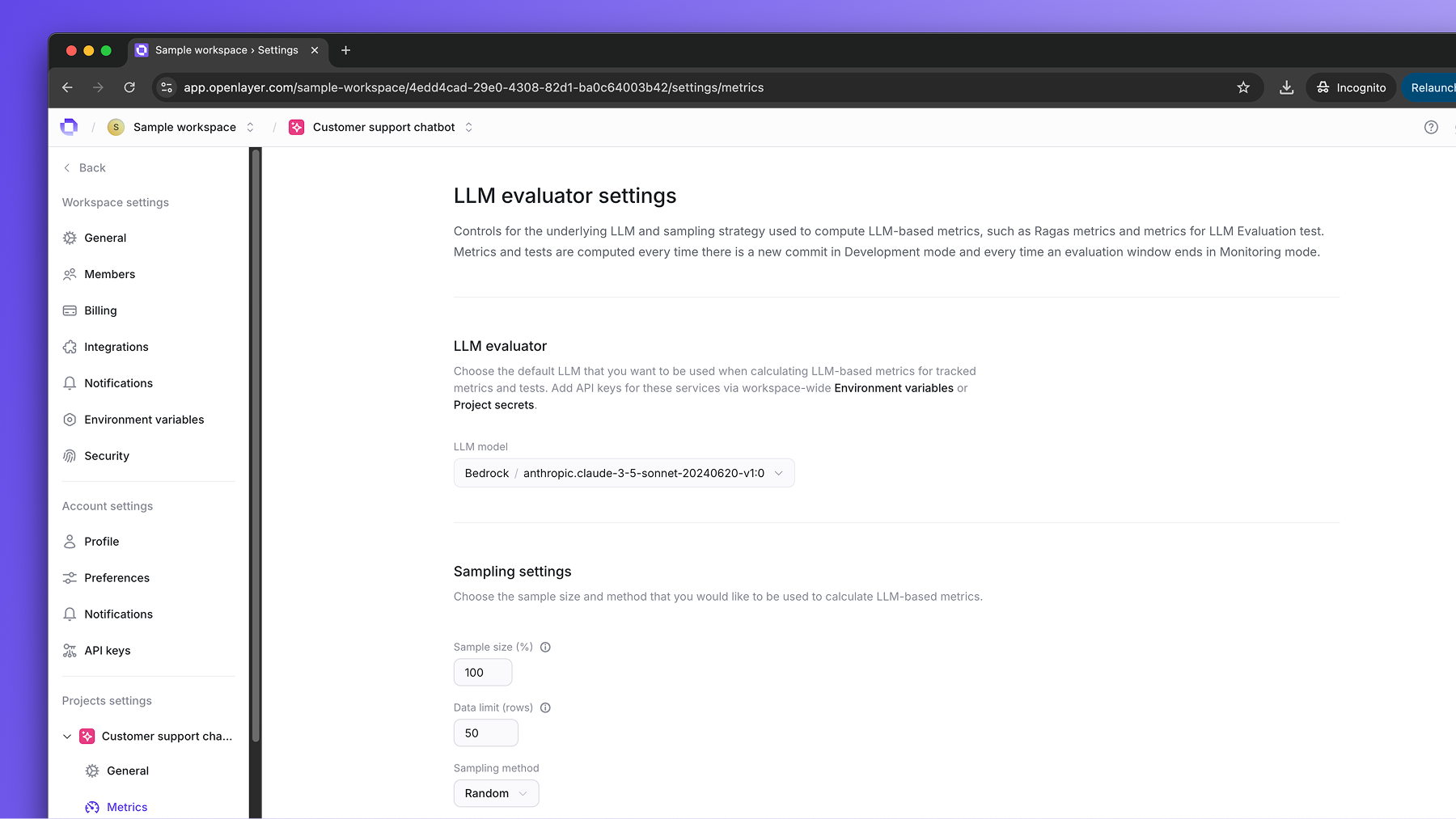
Some tests on Openlayer rely on scores produced by an LLM judge. For example, tests that use Ragas metrics and the LLM as a judge test. You can use any of Bedrock’s LLMs as the underlying LLM judge for these tests. You can change the default LLM judge for a project in the project settings page. To do so, navigate to “Settings” > Select your project in the left sidebar > click on “Metrics” to go to the metric settings page. Under “LLM evaluator,” choose the Bedrock LLM you want to use.Authentication options
Openlayer supports three authentication methods for Bedrock LLM judges, in order of priority:Option 1: Bearer token (recommended for long-term tokens)
Use a bearer token for authentication. This is the highest priority method and is ideal for long-term tokens. Add the following environment variables:AWS_BEARER_TOKEN_BEDROCK- Your Bedrock bearer tokenAWS_REGION- Your AWS region (e.g.,us-east-1)
Option 2: Auto-refresh bearer token (recommended for short-term tokens)
Automatically generate and refresh short-term bearer tokens using your AWS credentials. This method allows your AWS credentials to generate temporary tokens. Add the following environment variables:AWS_ACCESS_KEY_ID- Your AWS access key IDAWS_SECRET_ACCESS_KEY- Your AWS secret access keyAWS_BEDROCK_USE_TOKEN_REFRESH- Set totrueto enable auto-refreshAWS_REGION- Your AWS region (e.g.,us-east-1)
Option 3: Traditional AWS credentials (fallback)
Use AWS access key and secret key directly for authentication. This is the fallback method when bearer tokens are not available. Add the following environment variables:AWS_ACCESS_KEY_ID- Your AWS access key IDAWS_SECRET_ACCESS_KEY- Your AWS secret access keyAWS_REGION- Your AWS region (e.g.,us-east-1)