> ## Documentation Index
> Fetch the complete documentation index at: https://openlayer.com/docs/llms.txt
> Use this file to discover all available pages before exploring further.
# Make your first request
> Point your existing OpenAI or Anthropic code at the gateway and send a request
This guide is for **developers** sending traffic. If you already call OpenAI or Anthropic, you keep
your code and change two things: the base URL and the API key.
You'll need the **gateway base URL** (such as
`https://your-gateway.example.com/v1`) and an **API key** (it starts with
`sk-olga-`). Your operator creates these in [Set up the
gateway](/gateway/set-up-the-gateway).
## Send a request
Point your client at the gateway and use your gateway key. Everything else about your code stays the
same.
```python Python (OpenAI) theme={null}
from openai import OpenAI
client = OpenAI(
base_url="https://your-gateway.example.com/v1", # the gateway
api_key="sk-olga-...", # your gateway key
)
response = client.responses.create(model="gpt-4o-mini", input="Hello!")
print(response.output_text)
```
```python Python (Anthropic) theme={null}
from anthropic import Anthropic
client = Anthropic(
base_url="https://your-gateway.example.com", # the gateway
api_key="sk-olga-...", # your gateway key
)
message = client.messages.create(
model="claude-sonnet-4-7",
max_tokens=1024,
messages=[{"role": "user", "content": "Hello!"}],
)
print(message.content[0].text)
```
```typescript TypeScript (OpenAI) theme={null}
import OpenAI from "openai";
const client = new OpenAI({
baseURL: "https://your-gateway.example.com/v1", // the gateway
apiKey: "sk-olga-...", // your gateway key
});
const response = await client.responses.create({
model: "gpt-4o-mini",
input: "Hello!",
});
console.log(response.output_text);
```
```bash cURL theme={null}
curl https://your-gateway.example.com/v1/responses \
-H "Authorization: Bearer sk-olga-..." \
-H "Content-Type: application/json" \
-d '{"model": "gpt-4o-mini", "input": "Hello!"}'
```
The gateway speaks the **OpenAI Responses API** at `/v1/responses` and the
**Anthropic Messages API** at `/v1/messages`. Use whichever your SDK targets.
Streaming behaves exactly as it does against the provider directly: set
`stream=True` (or `stream: true`) and read the events as usual.
## What you just got
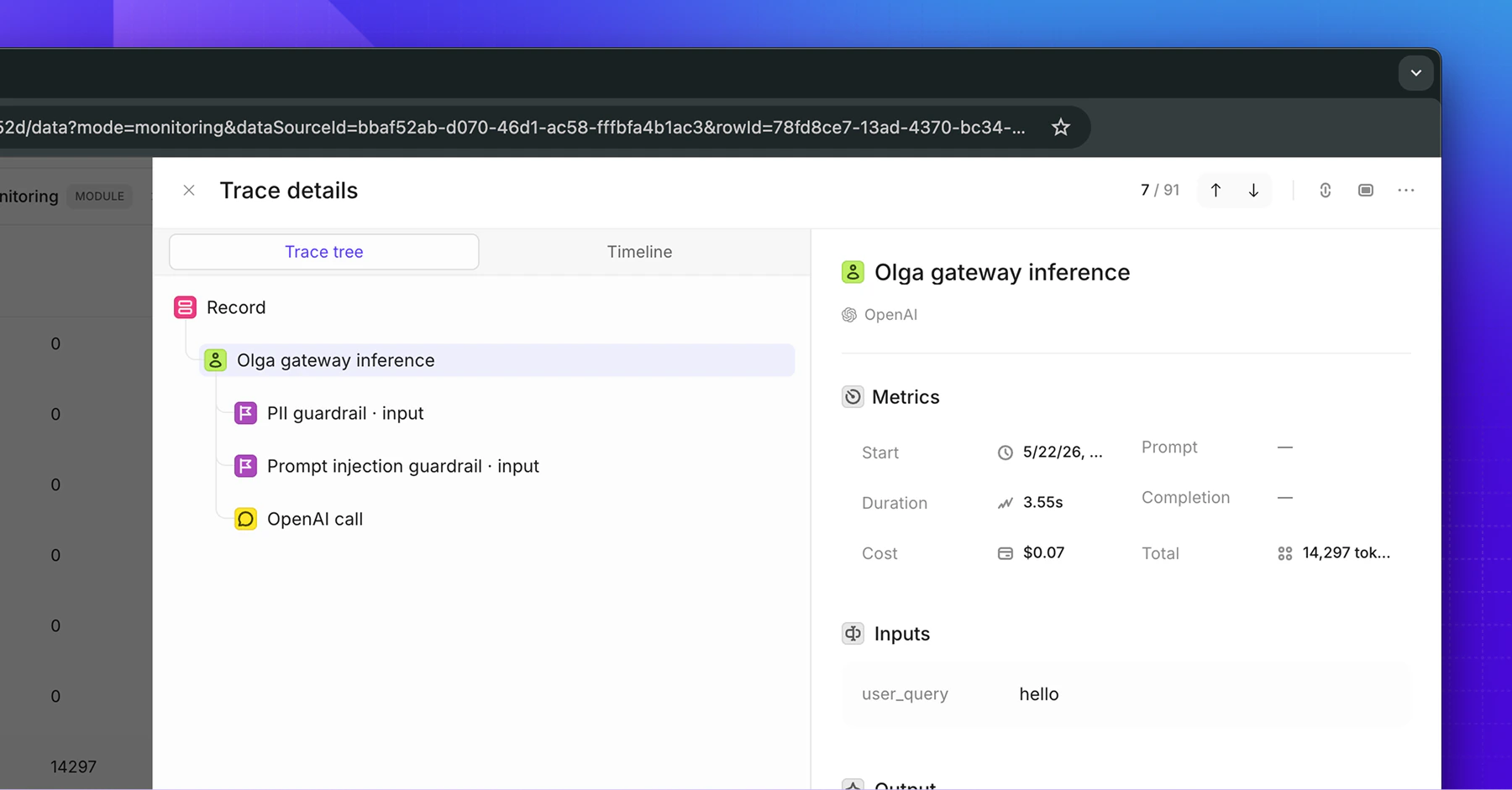
On its way to the provider and back, your request was also:
* **Checked against your usage limits**, and refused if it would exceed one.
* **Screened by guardrails** for PII and prompt injection, on both the input and the response.
* **Traced** to your Openlayer project, with model, tokens, latency, and cost.
None of that needed a line of code in your app.
 ## If something goes wrong
The key is missing, mistyped, or has been disabled or deleted. Confirm you're sending the
`sk-olga-` key your operator gave you, as `Authorization: Bearer `.
A usage limit on your key or team has been reached. Ask your operator to review your
[usage limits](/gateway/budgets-and-limits).
A guardrail blocked the request or the response. The error names the guardrail and the stage it
fired on. See [Guardrails](/gateway/guardrails).
The target provider isn't connected, or its API key isn't set on the gateway host. Your operator
can fix this in [Connect providers](/gateway/connect-providers).
## If something goes wrong
The key is missing, mistyped, or has been disabled or deleted. Confirm you're sending the
`sk-olga-` key your operator gave you, as `Authorization: Bearer `.
A usage limit on your key or team has been reached. Ask your operator to review your
[usage limits](/gateway/budgets-and-limits).
A guardrail blocked the request or the response. The error names the guardrail and the stage it
fired on. See [Guardrails](/gateway/guardrails).
The target provider isn't connected, or its API key isn't set on the gateway host. Your operator
can fix this in [Connect providers](/gateway/connect-providers).