> ## Documentation Index
> Fetch the complete documentation index at: https://openlayer.com/docs/llms.txt
> Use this file to discover all available pages before exploring further.
# Guardrails
> Block or redact PII and stop prompt injection, on requests and responses
Guardrails inspect traffic in real time and act on it. They catch sensitive data and attacks before
a request reaches a provider or a response reaches a user. This is the gateway's enforcement at the
content level, alongside [usage limits](/gateway/budgets-and-limits).
The gateway offers several guardrail types, such as **PII detection** and **prompt-injection
detection**, and the list grows over time. Each type has its own settings.
## Create a guardrail
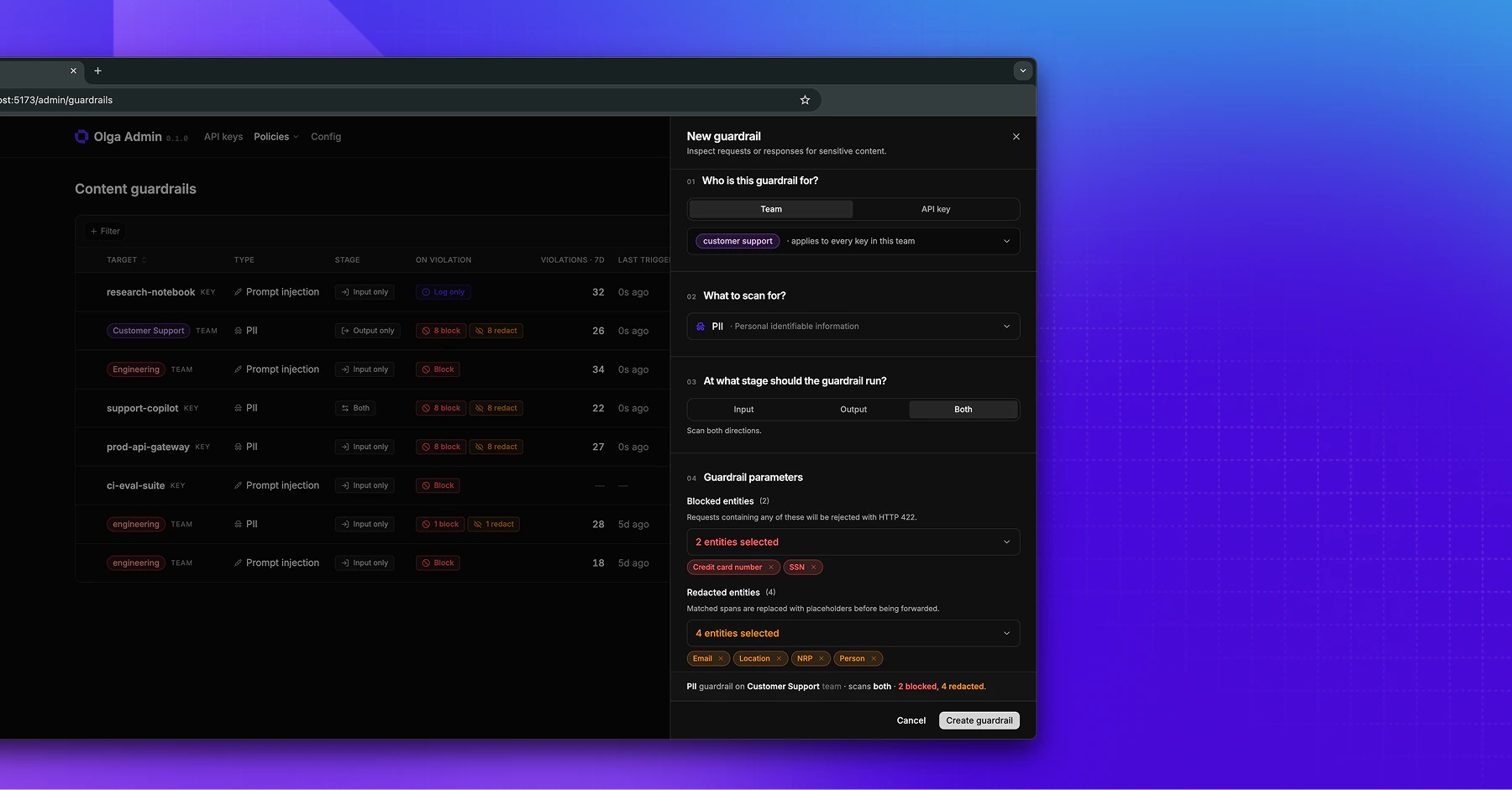
On the **Content guardrails** page, add a guardrail and choose:
* **Who it's for**: a single **key** or a whole **team**.
* **Type**: the kind of check to run.
* **Stage**: where it runs. **Input** scans requests on their way in, **output** scans responses on
their way out, and **both** scans both directions. Some types apply to a single stage only.
**Output guardrails don't run on streamed responses.** When a request streams,
each token reaches the caller the moment the provider produces it, so there's
no complete response to inspect before it's delivered. To screen a response,
send the request without streaming. Input guardrails still apply, since they
run before the request is forwarded, whether or not the response streams.
The remaining settings depend on the type. PII detection, for example, lets you pick which entities
to watch for, from universal types like emails, phone numbers, and credit card numbers to
country-specific identifiers. For each, you choose whether to **block** the request or response (the
caller gets a `422`) or **redact** the entity in place and let it through. A **confidence threshold**
sets how sure the detector must be before it acts; raise it to cut false positives.
 ## See what fired
Each guardrail shows its recent violations: when it triggered, on which stage, what it detected, and
whether it blocked or redacted. The gateway records this metadata, not the underlying text, so the
log of violations never leaks the data you're protecting.
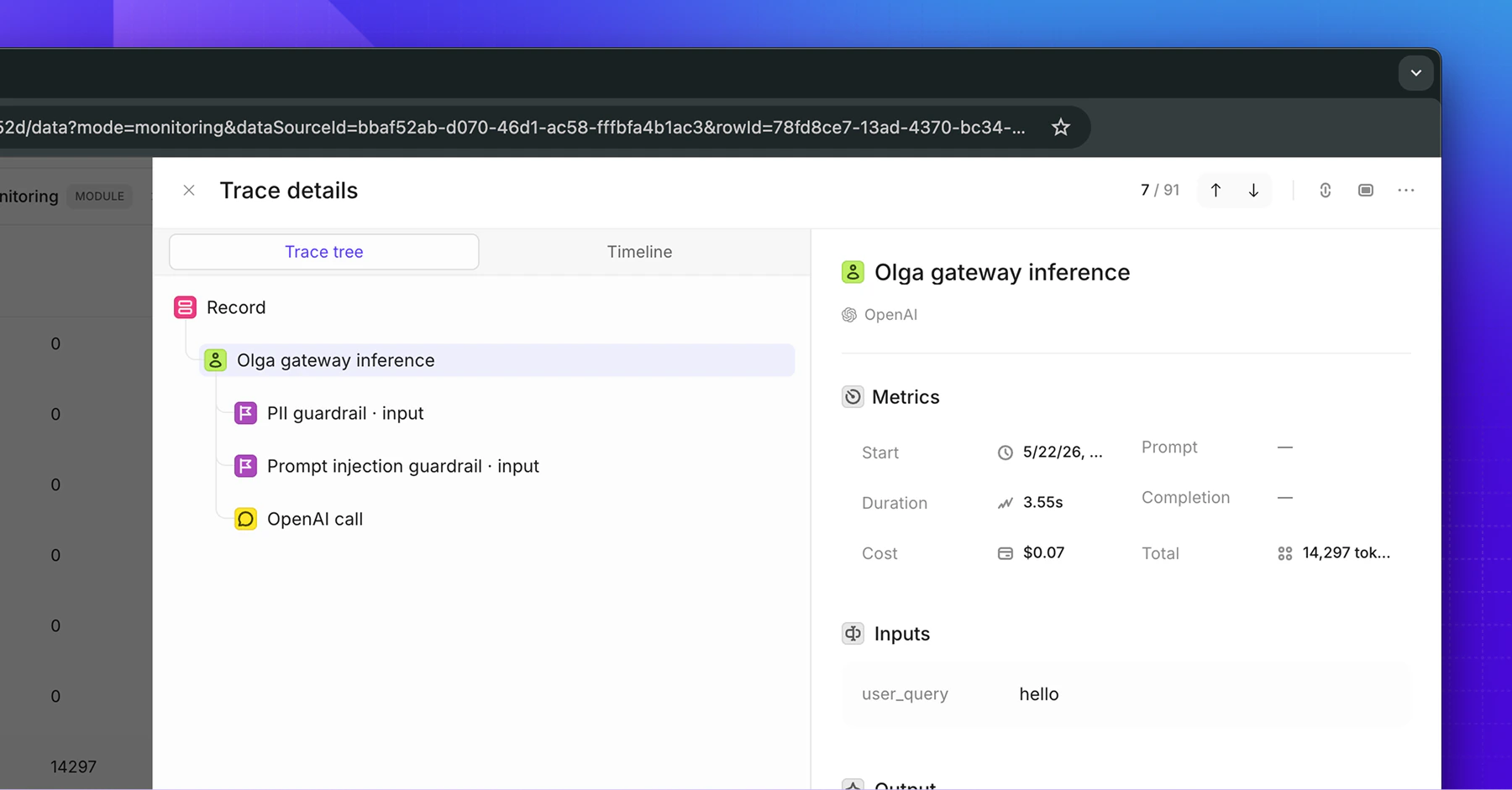
Every violation also appears in the matching [Openlayer trace](/gateway/observability) as a guardrail
step, so you can review it in the full context of the request.
## See what fired
Each guardrail shows its recent violations: when it triggered, on which stage, what it detected, and
whether it blocked or redacted. The gateway records this metadata, not the underlying text, so the
log of violations never leaks the data you're protecting.
Every violation also appears in the matching [Openlayer trace](/gateway/observability) as a guardrail
step, so you can review it in the full context of the request.